Critical PHP Vulnerabilities: Updating a Docker Image and Automating Deployment
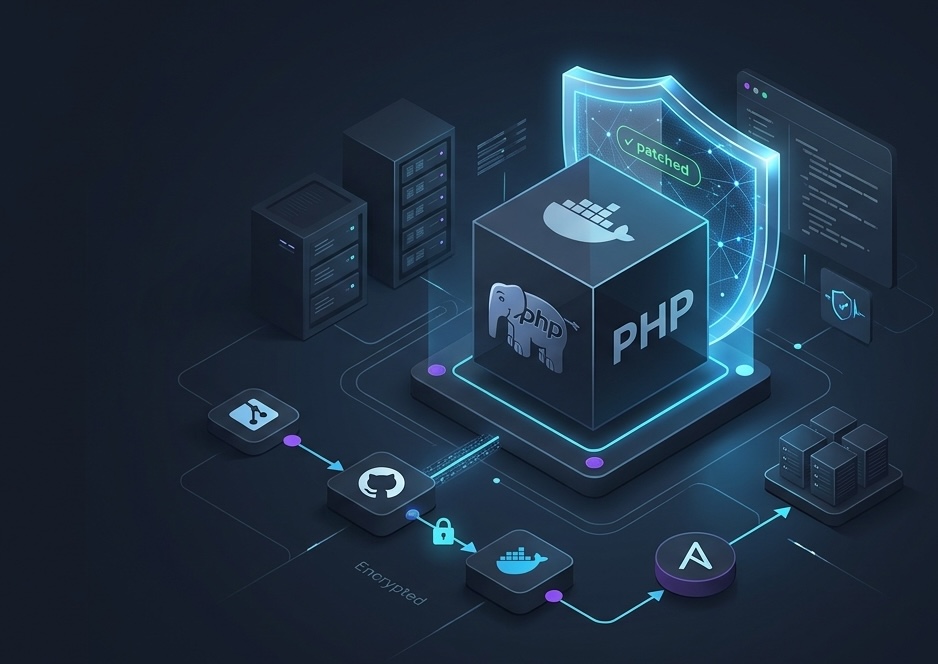
You’re going about your day, writing code, fixing bugs, occasionally wrestling with Docker - and then you learn that critical vulnerabilities have been discovered in PHP that could potentially allow arbitrary code execution on a server without authentication.
And that’s where things get interesting: the problem might not be in your code, Laravel, or even your Composer dependencies. The PHP runtime itself could be vulnerable.
In this article, we’ll look at what happened, which PHP versions contain the fixes, why ignoring updates can be dangerous, and how I updated PHP in my project. I’ll also explain why a CI/CD pipeline you set up once can be especially satisfying in moments like these.
What happened?
On October 21, 2026, PHP security updates were released to address two critical Remote Code Execution (RCE) vulnerabilities.
RCE is a class of vulnerabilities that can allow an attacker to execute arbitrary code on a target system. Depending on the attack scenario and environment configuration, this can lead to an application or server being compromised.
There are two vulnerabilities involved:
- CVE-2026-109618 - an issue related to out-of-memory handling and PHP internal structures.
- CVE-2026-109619 - an issue involving stale internal state and access to memory that should no longer be used.
Under certain conditions, these errors can lead to memory corruption and potentially arbitrary code execution.
It’s important to understand that the existence of a vulnerability doesn’t mean every server will automatically be hacked. Exploitation depends on specific conditions, configuration, and whether the vulnerable code is reachable. However, when a fix for a critical vulnerability is available, postponing the update without a good reason is a questionable strategy.
You can verify the information in the official PHP security section and the CVE database.
Which PHP versions include the fixes?
To address the vulnerabilities, you need to use a version that includes the relevant patches.
PHP branch | Patched version |
|---|---|
PHP 8.2 | 8.2.35 |
PHP 8.3 | 8.3.36 |
PHP 8.4 | 8.4.27 |
PHP 8.5 | 8.5.12 |
Before updating a particular environment, check the official security advisories and make sure the Docker image you choose actually contains the fixes.
It’s also important to consider PHP’s lifecycle: older, unsupported branches may no longer receive fixes from the PHP project itself.
What happens if you don’t update PHP?
Imagine a typical web application. A user sends an HTTP request, Nginx passes it to PHP-FPM, and PHP processes the request and runs the application code.
If the PHP version in use is vulnerable, an attacker may be able to exploit a flaw in the interpreter itself, given the right conditions.
A successful attack could have the following consequences:
- arbitrary code execution with the privileges of the PHP process;
- access to application data and configuration files available to that process;
- exposure of secrets stored in files or environment variables;
- use of available credentials to move further into the infrastructure;
- file modification, application disruption, and other consequences of a compromise.
The extent of the damage depends on the process permissions, container configuration, available secrets, and infrastructure isolation.
One point worth emphasizing: Nginx in front of PHP-FPM does not, by itself, protect you from a PHP vulnerability. If requests are processed by a vulnerable interpreter, having a reverse proxy does not eliminate the problem.
That’s why keeping the runtime up to date is just as much a part of maintaining an application as updating libraries and fixing bugs in your own code.
How I updated PHP in my Docker project
My project runs with Docker Compose, and its Dockerfile uses a multi-stage build.
At first glance, the Dockerfile looks rather intimidating. But after looking through its structure, I realized that updating PHP didn’t require rewriting the application or changing its architecture.
1. I examined the Dockerfile
The project uses four build stages:
- assets — builds the frontend with Node.js;
- builder — installs PHP extensions and Composer dependencies;
- production — the final application image;
- development — a development image that inherits from production and additionally installs Xdebug.
The PHP base image was:
FROM php:8.4-fpm AS builderAnd another one:
FROM php:8.4-fpm AS productionIt’s important not to miss the second line. Updating only builder isn’t enough if the final production image still uses the old PHP version.
The development stage inherits from production, so it doesn’t need a separate PHP base image.
2. I updated the PHP base image
For the PHP 8.4 branch, the patched version is 8.4.27.
I replaced both lines in the Dockerfile:
FROM php:8.4.27-fpm AS builderFROM php:8.4.27-fpm AS productionThis means the patched PHP version is used both when building dependencies and in the final production image.
I didn’t have to change the application code, rewrite controllers, or upgrade Laravel to address these vulnerabilities.
Of course, after changing the base image, it’s important to make sure the build succeeds and the application remains compatible with the updated environment.
3. Then CI/CD takes care of the rest
This is my favorite part of the story.
I didn’t have to log in to the server manually, run docker compose build, build the image, or handle its delivery to production. The project already has an automated process in place using GitHub Actions, a private Docker Hub repository, and Ansible.
Here’s how the process works:
1. I update the Dockerfile and push the changes to the master branch.
2. GitHub Actions starts the build of the Docker image according to the configured workflow.
3. The built image is published to a private Docker Hub repository. The application image is stored in a private registry, not a public repository.
4. Ansible deploys the update to production. It pulls the published image and performs the deployment steps defined in the configuration.
As a result, the entire path from changing the Dockerfile to updating the application on the server is automated.
I don’t need to remember the sequence of commands for a manual deployment or build the image on the production server myself every time. I make a change in the repository, and the configured CI/CD process does its job.
Of course, automation doesn’t eliminate the need for checks: after the update, I still need to verify that production is running the patched PHP version and that the application works correctly.
But moments like these really show how useful infrastructure can be when it has been set up properly.
I didn’t just update PHP - I used an existing delivery process to avoid doing routine tasks manually.
4. I verified the result
After deployment, it’s important to make sure the container is actually using the new PHP version rather than continuing to run the old image.
You can do this by running:
docker compose exec php php -vHere, php is an example of a service name from the Compose file.
The output should show the patched PHP version or a newer version of the same branch that includes the required fixes.
You should also check the extensions:
docker compose exec php php -mMy project uses pdo_mysql, pdo_pgsql, intl, zip, redis, opcache, and other extensions. After the update, it’s important to make sure all required modules are available.
And, of course, test the application itself: startup, API endpoints, database connectivity, and other critical scenarios.
Is updating PHP alone enough?
To address specific PHP vulnerabilities, you need to install a version that includes the relevant fixes. However, that doesn’t mean the entire Docker image automatically becomes secure after the update.
The project still includes other components:
- Nginx — a separate component with its own security updates.
- Node.js — used to build the frontend.
- System libraries — installed through the package manager and potentially vulnerable themselves.
- Composer dependencies — third-party PHP packages that need to be checked separately.
You can use the following command to audit Composer dependencies:
composer auditTo scan Docker images for known vulnerabilities, you can use Trivy.
These checks help identify issues not only in PHP but also in other components of the environment.
Updating the runtime addresses a specific problem, but application security is an ongoing process, not a one-time task.
Takeaways
This experience reminded me of a few things.
First, application security depends on more than just the code we write. Base Docker images, the interpreter, system libraries, and third-party dependencies all need attention.
Second, you need to read a multi-stage Dockerfile carefully. Updating one line in one stage may not be enough: you need to understand which image actually runs in production.
Third, fixing a vulnerability doesn’t necessarily require a major refactor. Sometimes you just need to understand the build structure, choose a patched version, update the base image, and verify the result.
Finally, I was reminded once again that a well-configured CI/CD pipeline is more than a convenience - it’s a real help when managing infrastructure.
I update the Dockerfile and push the changes to master; GitHub Actions builds the image, the private Docker Hub repository stores it, and Ansible deploys the update to production. No manual image builds on the server.
It’s not enough to know which PHP version to install. It also helps to have processes in place that deliver necessary changes to production safely and predictably.
Backend development isn’t just about controllers, SQL queries, and fixing bugs. It’s also about understanding how an application is built, started, updated, and secured.
And when the infrastructure works as intended at exactly the right moment, you can confidently say: I am proud of myself :)
And yes, the automation you set up once is especially satisfying when you need to patch a vulnerability quickly. 💅